THINGS HAVE CHANGED… BUT CHANGE IS GOOD!
WE ARE NOW USING FLAIK AND NO LONGER USING RPOS/PROCONNECT TO SIGN UP FOR TRAINING.
FIND OUT MORE BELOW…
HOW TO SIGN UP FOR TRAINING

PRESEASON TRAINING
AFTER LIFT TRAINING…
In addition to your online LIFT Training (which you must complete before your 1st day of work or WB training) you will have to attend the following training sessions:
NEW STAFF:
Welcome to Winter (W2W)
Snow School Orientation - NEW (SSON)
Operations & Safety Training (OST)
Instructor Skills Training (IST)
MANDATORY TRAINING
The following sessions are available to sign up for on flaik.
They are mandatory (paid) sessions required by all instructors before they begin work:
RETURN STAFF:
Snow School Orientation - RETURN (SSOR)
For the 2025-26 season these are pod specific eg Adults, Kids etc.
Return Staff Training (RST)
FIRST STEP:
We advise you to use a computer/desktop instead of your phone for this process so you don’t make any mistakes in signing up for the correct trainings.
Create or sign into your flaik account (check your junk/spam for instructions on how to create your account).
NEXT:
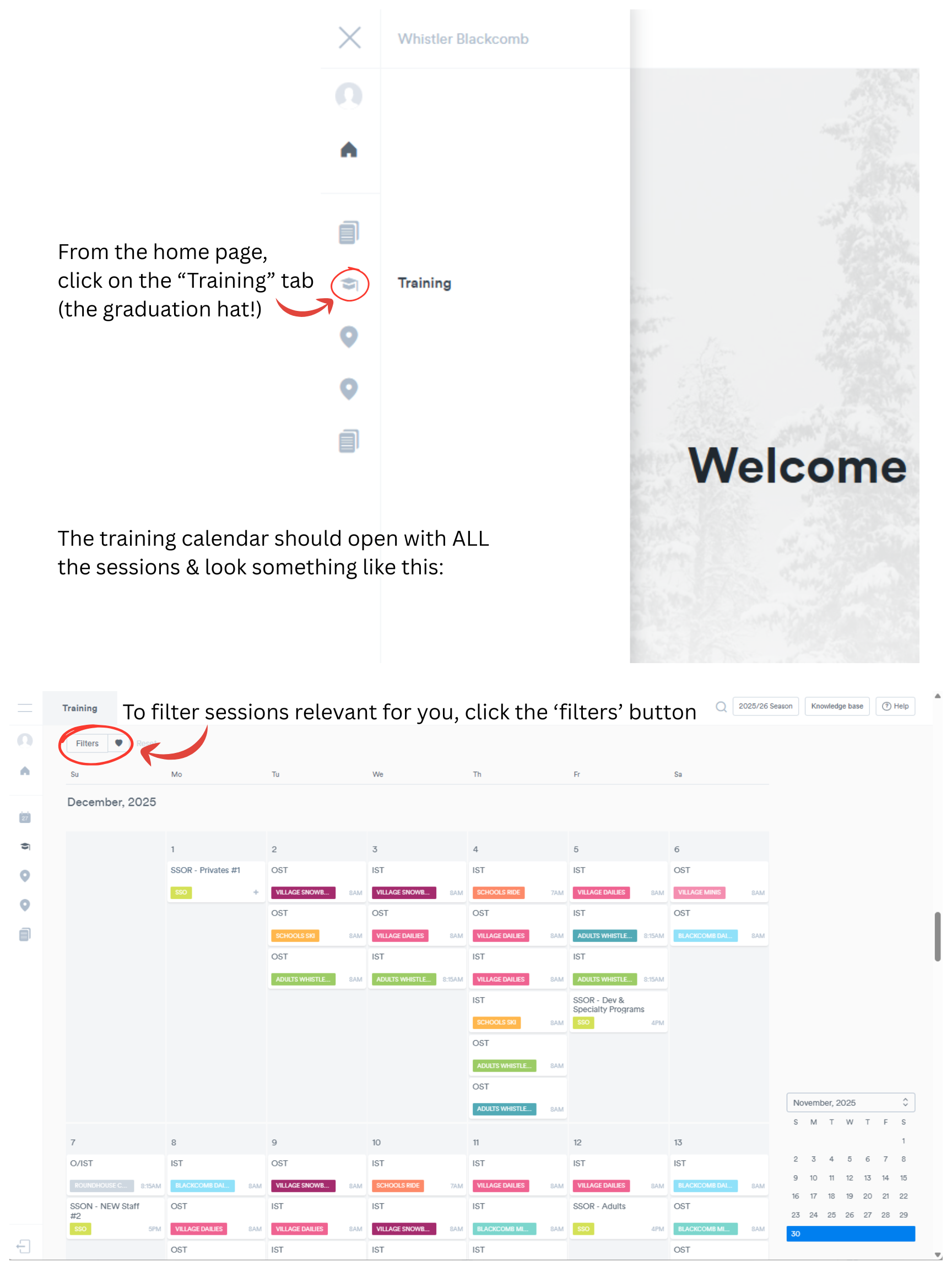
The easiest way to sign up for the correct sessions are to ‘filter’ training sessions to help you find yours, use the following steps:
1
2
3
4
5
6

MID SEASON TRAINING
Please ensure before signing yourself up into a clinic you have done the following:
1) Check your schedule and ensure you are not scheduled to work. You may NOT sign up for a clinic if you are scheduled to work
2) Only sign up for Mandatory/Paid sessions that you have been instructed to sign up for. Teaching Steeps, Park Safety, Terrain Exploration etc are specifically allocated. Please read the clinic notes.
3) REMOVE yourself from a session if you are not going to be able to attend. Please do this with plenty of notice (more than 24 hours out) and try to let others know that the spot has become available (a good way to do this is through the SS FB group).
Please follow the following guidelines:
1 Full day session per person per week. That means between Sunday and Saturday of a given week, you only sign up and attend 1 full day session. With a staff of close to 1500 people, this allows for a more equal opportunity for everyone to participate.
If you are a Part Time employee, please do not exceed 12 full day elective training sessions in a given season.
If you are a Casual employee or from another Vail Resort, please wait to sign up until 24 hours before the clinic start time and do not exceed the amount of work days you have completed in that season (to a max. of 12 full day elective sessions)
-
Whether you’re having trouble setting up your account for the first time, or you want to reset your password, please reach out directly to your supervisors who can help you.
-
Click the ‘Flters’ button at the top left of the calendar
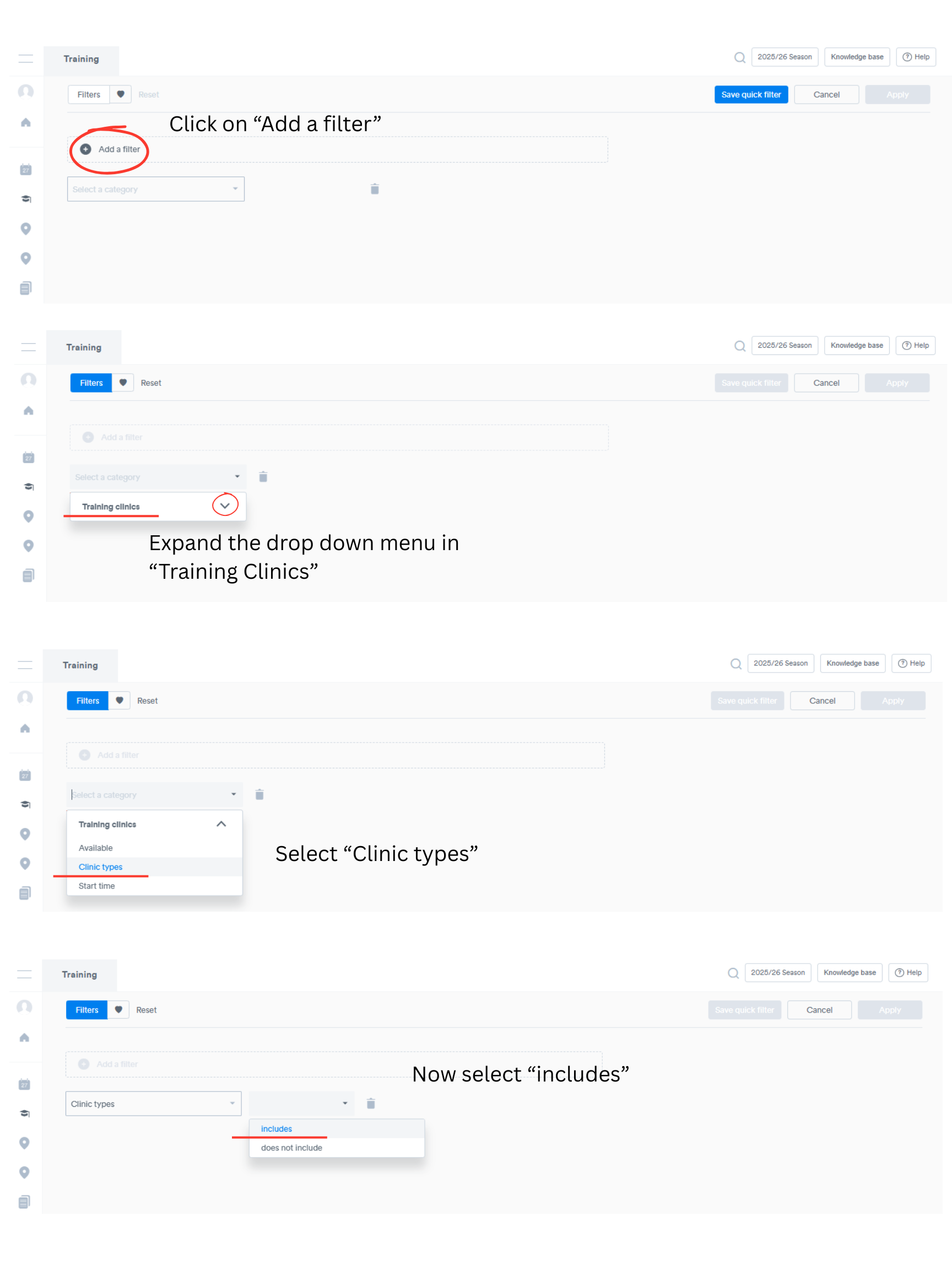
Select ‘Add a filter’
Expand the drop down menu in ‘Training Clinics’
Select ‘Clinic types’
Now select ‘Includes’
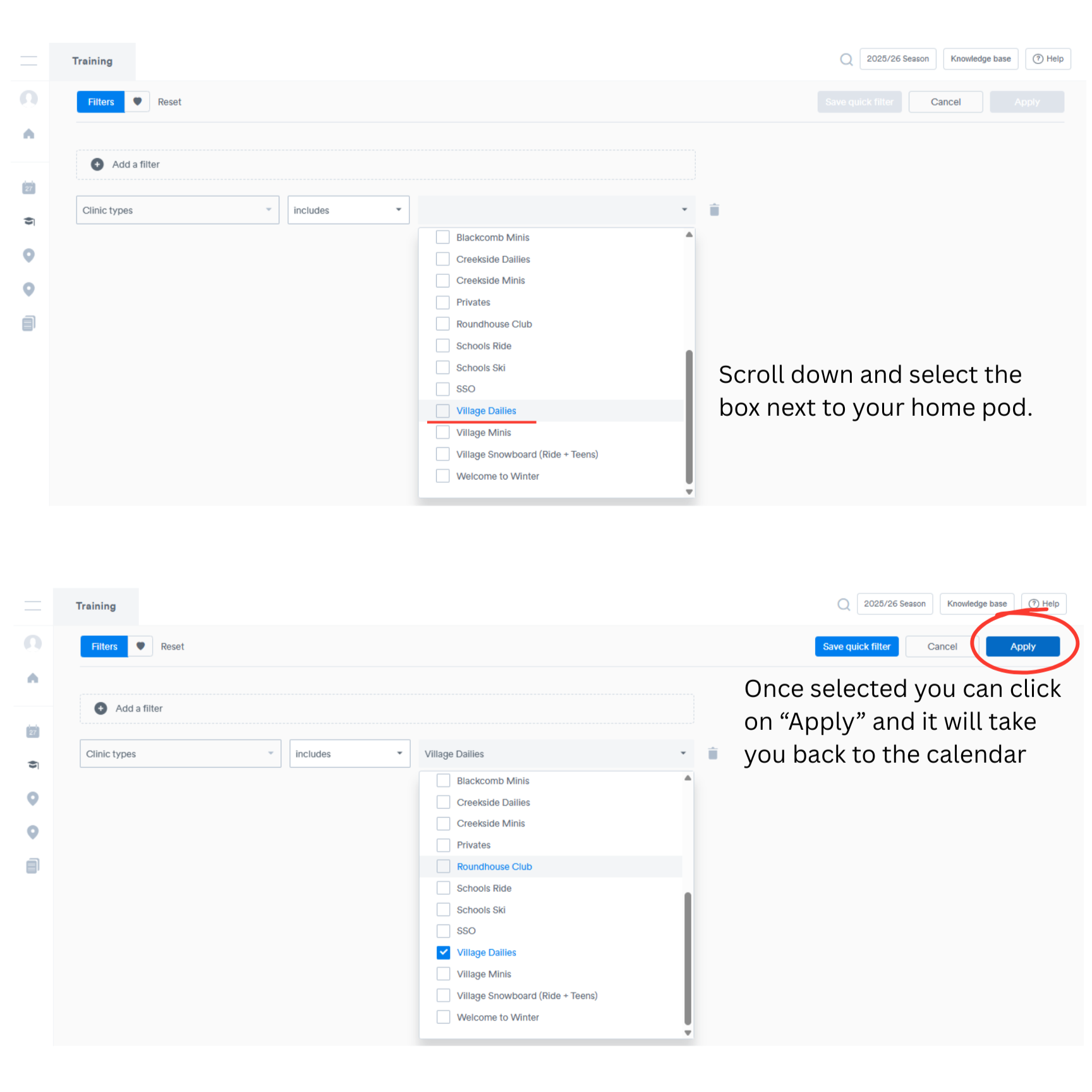
Scroll down and select the tick box next to your home pod
Once selected, click ‘Apply’ in the top right
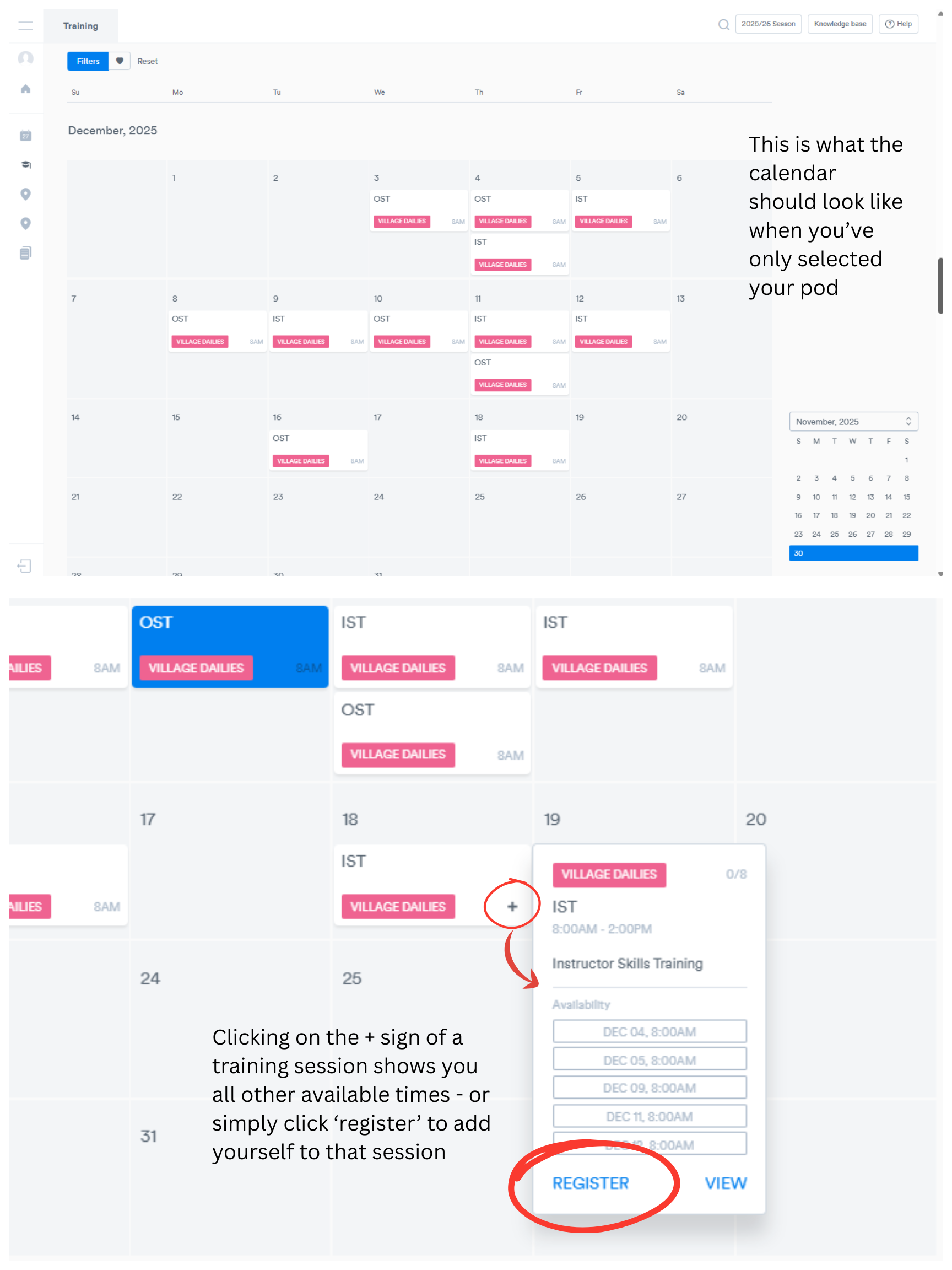
This will take you back to the calendar and only show you trainings relevant to that pod.
-
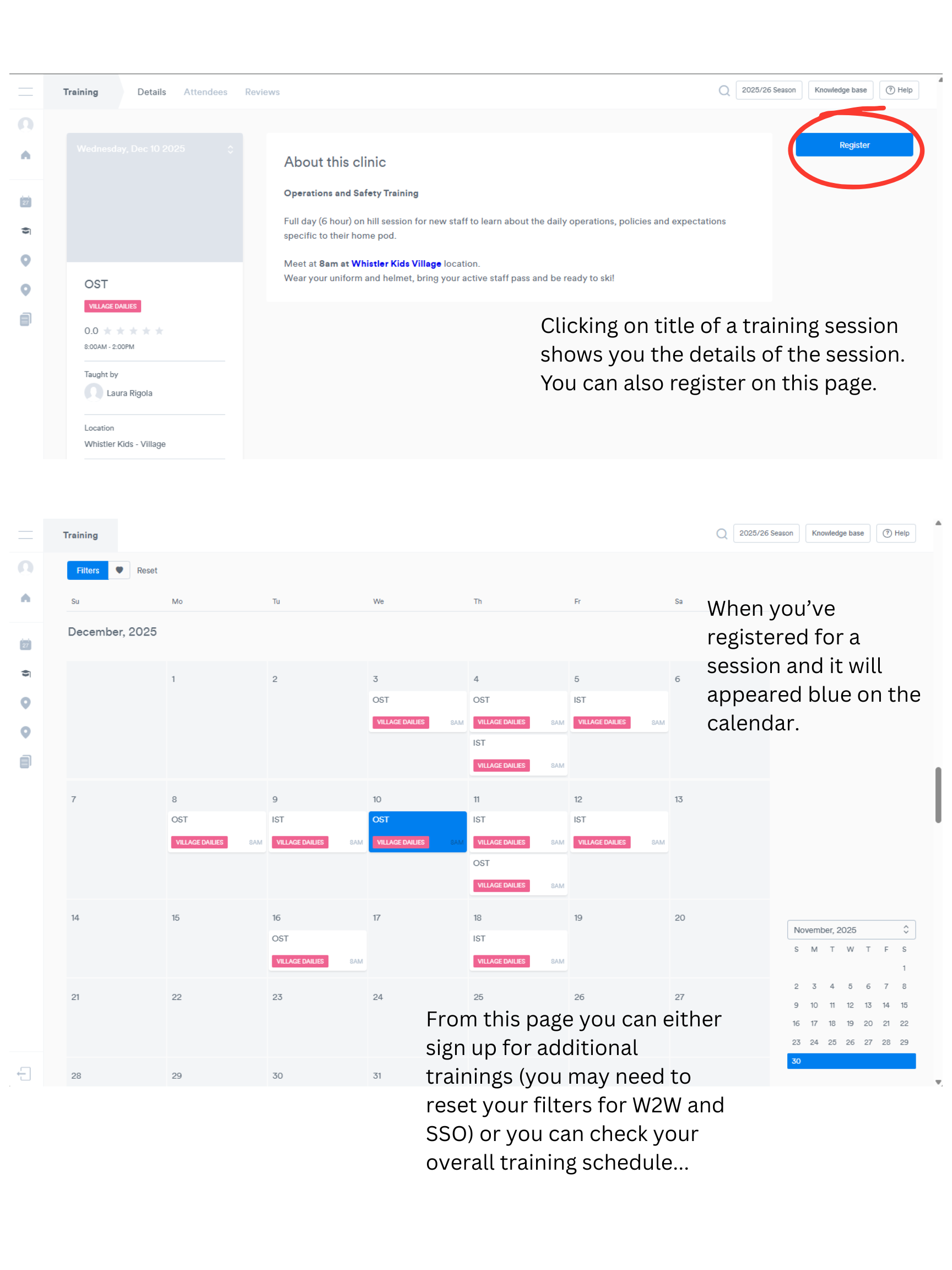
Up until a certain point you can ‘unregister’ yourself from a session and ‘register’ into a different one.
If you’re not able to do this, please email us: wbsbstraining@vailresorts.com
-
Email us at wbsbstraining@vailresorts.com
Make sure to include your name, pod and arrival date in whistler. Thanks!
-
Clicking on the title of your session will open up more information about it. This will include the start time and location, what you will need to bring along and maybe some other information too.
-
Email us at wbsbstraining@vailresorts.com to confirm which we have down as your ‘primary’ discipline.
-
Try resetting your filters (if the ‘filter’ button is blue, you have a filter applied).
Try logging out & back into your flaik account.
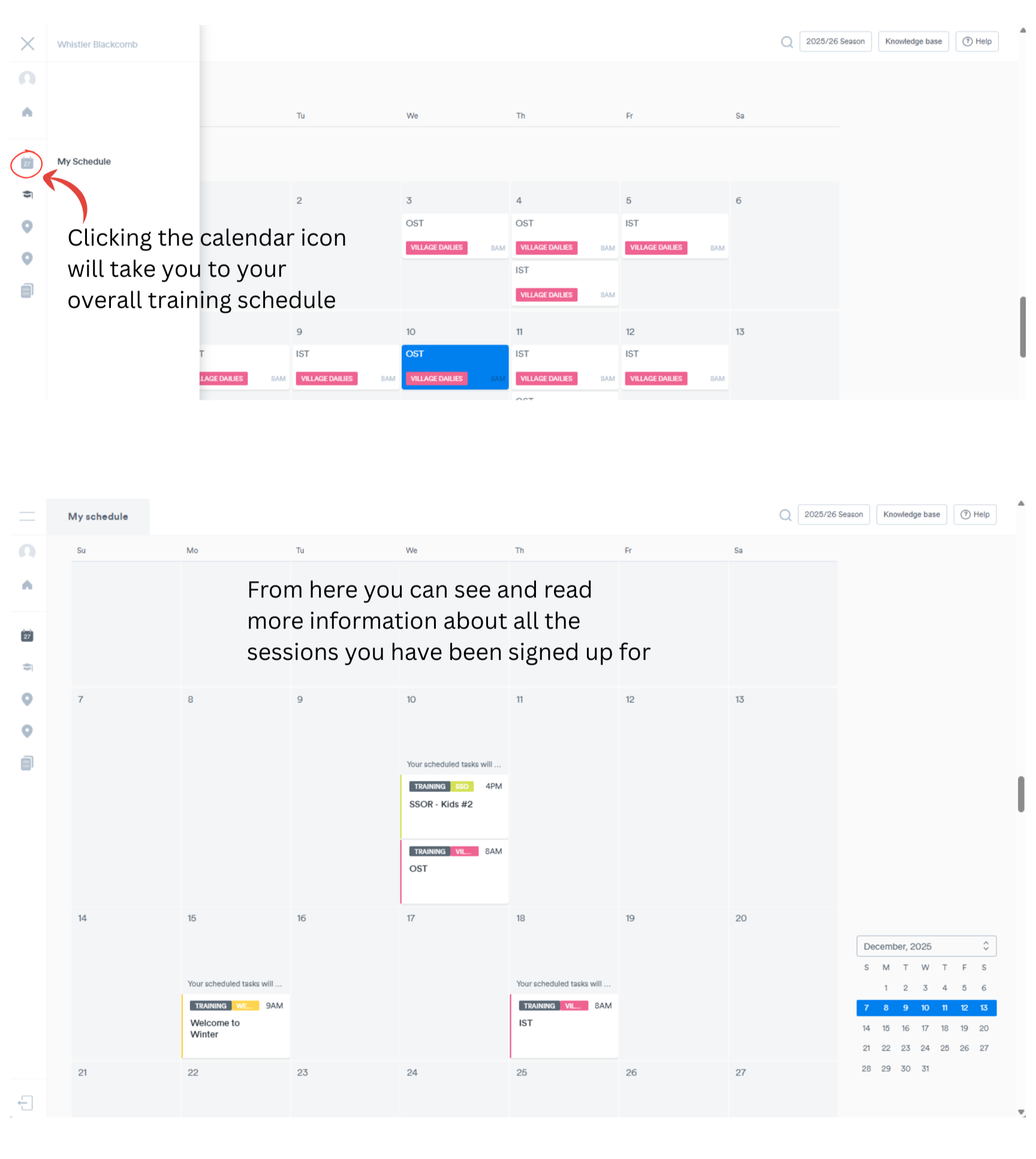
Ensure you are on the Training calendar, not your Schedule.
Still having trouble? Email us: wbsbstraining@vailresorts.com
TROUBLESHOOTING & FAQS
Currently the ‘filter’ functionality does not work on mobile.
First choice would be to find a desktop to use to sign up.
Second choice - try on a tablet - there should be an option to use the desktop site. eg in Chrome if you click on the three dots there is an option for ‘desktop site’. The desktop site works quite well on a tablet but might be hard to view or navigate very well on a phone.
third choice - if you do not have access to a desktop, and mobile is your only option, please note a few things that might ensure you sign up to the correct trainings:
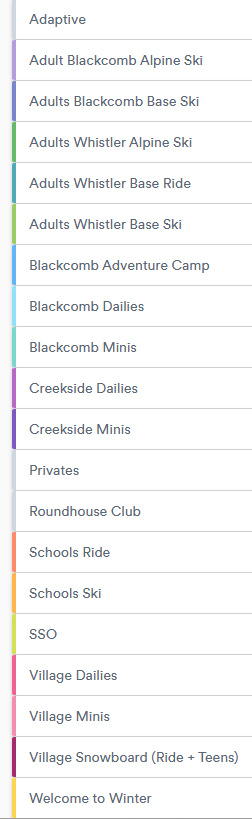
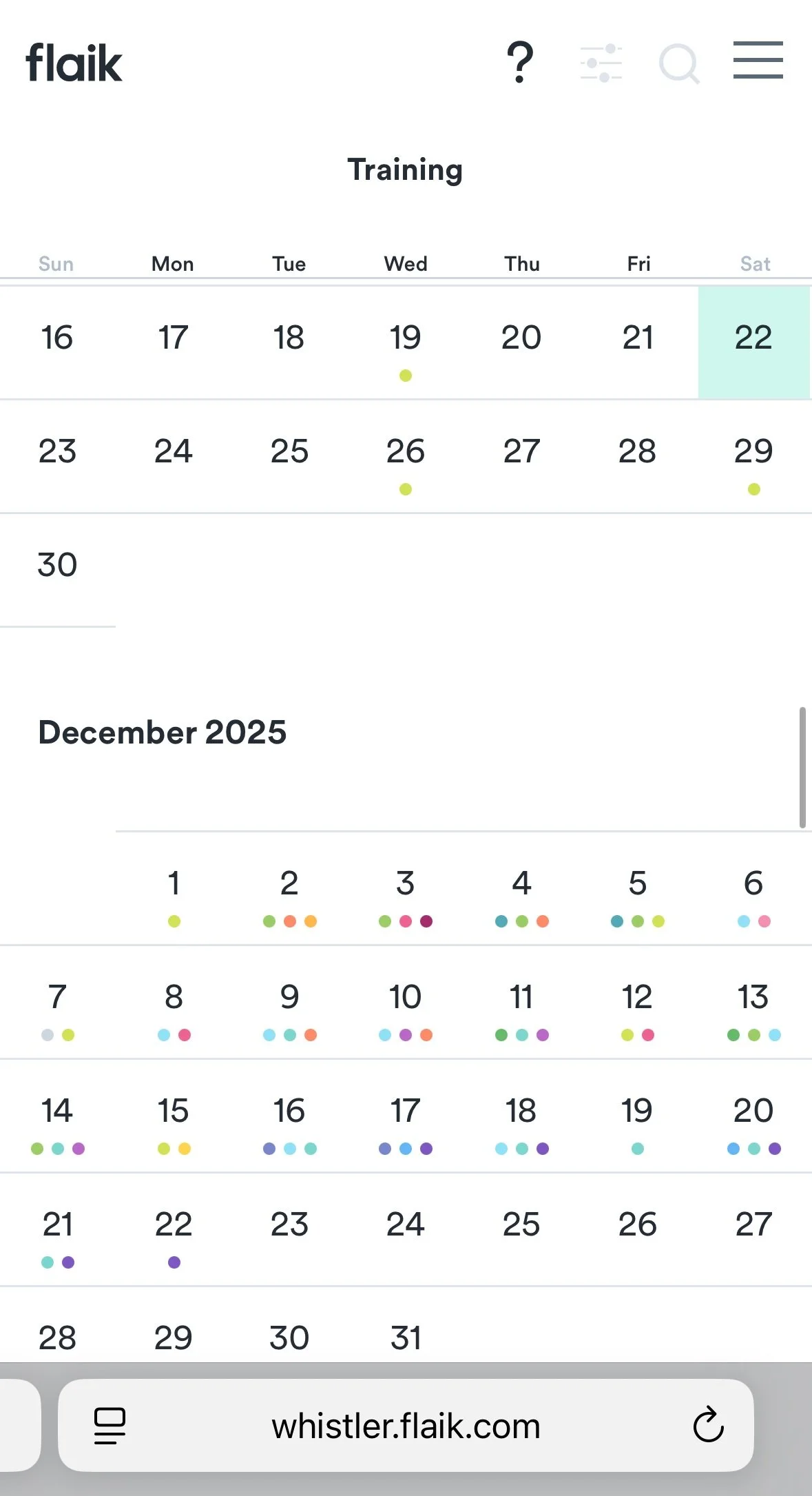
Each “pod” has a different colour assigned to them - see the table to look up the colour of your pod and ensure you are signing up for the correct sessions.
The training view only shows a maximum of 3 sessions/coloured dots per day, click on the date to open it up as many days have multiple sessions.
The ‘search’ functionality may be working by the time you come here for help. Use the magnifiying glass in the top right of the screen to try searching for your pod and training session name.
Still having issues? Email the training department: wbsbstraining@vailresorts.com
A note about using mobile for flaik pre-season training sign up