
Scheduling

See scheduling information below

How to check your schedule
Check your Snow School schedule at instructor.snow.com
Please note: The "My Schedule" tab in Epic Employee is NOT used for WB INSTRUCTORS.
To sign in: open instructor.snow.com
Username: your active WB pass #(10 digit number found on your active Vail Resorts pass)
Password TBD: $noW2627 (S=$ and the W is capitalized)
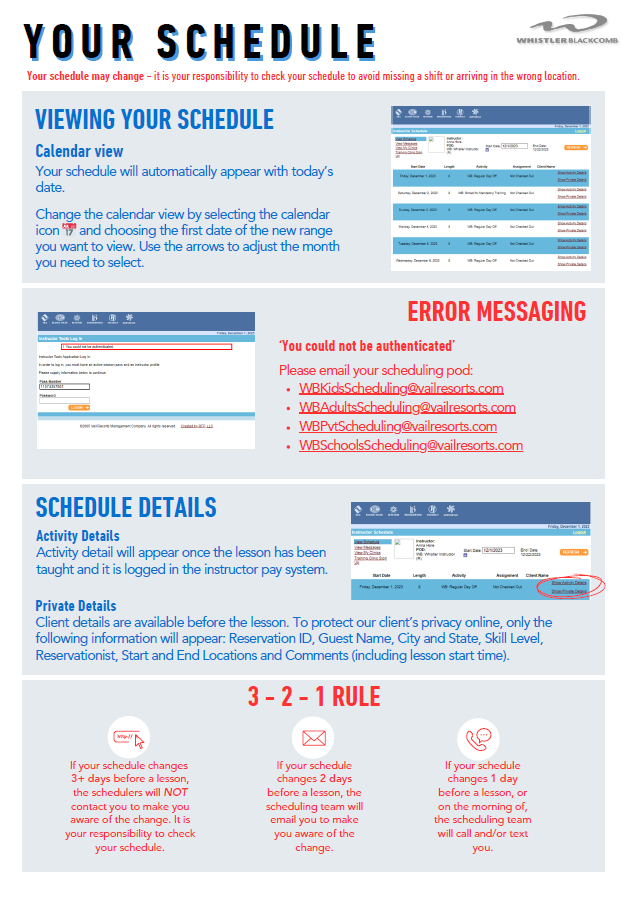
3 - 2 - 1 RULE for when your schedule can change
3: If your schedule changes 3+ days before a lesson, the schedulers will NOT contact you to make you aware of the change. It is your responsibility to check your schedule.
2: If your schedule changes 2 days before a lesson, the scheduling team will email you to make you aware of the change.
1: If your schedule changes 1 day before a lesson, or on the morning of, the scheduling team will call and/or text you.
Contact Scheduling
Privates Schedulers
Phone: 604-905-2235
Email: WBPvtSchedulers@vailresorts.com
Adults Schedulers
Phone: 604-905-2264
Email: WBAdultSchedulers@vailresorts.com
Kids
Phone: 604-905-2206
Email: WBKidsSchedulers@vailresorts.com
Schools on Snow & Specialty
Phone: 604-938-7189
Email: WBSchoolsSchedulers@vailresorts.com
TROUBLESHOOTING
Need help logging into your schedule? Troubleshooting, understanding how to read your schedule. See our Schedule Guide.
Part Time Instructor Calendars
Part Time Instructors select your part time dates from the email sent by the Scheduling Team with a link to flaik.
PLEASE NOTE: passes are NOT active UNTIL after PT instructors have submitted your availability dates. If you do not think you can fulfill your commitment with the days selected, please contact your manager.
PART TIME REGULAR: instructors are committed to a regular schedule of 1 or 2 days per week for the season (e.g. a club program).
PART TIME HOLIDAY: instructors are committed to working 17+days during our peak periods.
If you did not receive the email with our dates calendar, please email the Scheduling Team.
Flaik Troubleshooting
Need help with flaik? Follow our Flaik Guide

Workload Expectations
The ski industry can be affected by weather, time of year, the economy and sometimes even pandemics.
We cannot guarantee a definite amount of work during a season, but work schedules follow these guidelines:
FULL TIME:
scheduled 4 or 5 days per week (with extra days during our peak periods)
PART TIME REGULAR:
17+ day commitment working a regular day of the week throughout the season
e.x: every Saturday in a club program
PART TIME HOLIDAY:
17+ day commitment during our peak and high-demand periods
Dec 14 - Jan 5 | Feb 15 - 23 | March 15 - 30
Requesting time off
To request additional days off, please email your Scheduling team with your Supervisor copied in. Time Off requests should be submitted at least 2 weeks in advance. Requests will be granted on a first come, first served basis. During our Peak ‘blackout’ periods, no time off is approved by the Snow School.
POD 101’s
If you have been scheduled to a pod you are unfamiliar with, please read our Pod Specific 101s for information such as where and when to meet, what the day will look like, lunch information and what to expect.
Peak Periods
(no requested time off during these periods)
DEC 20 - JAN 04 | FEB 14 - 21 | MAR 16 - 26
Training Schedule
Your elective training schedule is separate to your work schedule. It is your responsibility to ensure you do not schedule yourself for training on a day you are scheduled to work.
Please explore the Training Tab for more info on how to sign up for training, and talk to the scheduling team if you see any conflicts.
Instructor Schedule Web Site
Instructors can log into this web site over the Internet from any location.
Instructor Requirements: An Active Ski Pass and an active Instructor Profile
Note: If you are going to use this application, please note the Support and Security bullets that are included.
What can you do from any PC with Internet access:
View your schedule
Access limited information about your private lesson client (only Name/City/State)
Sign Up for and View your Clinics
Check your messages.
Support:
VRI is not responsible for supporting non-VRI PC's or for providing Internet access for non - VRI PC's. VRI is simply providing a website that authorized instructors can use.
Beyond this application, VRI is not responsible in any way to troubleshoot or correct problems on non-VRI owned computers.
If there is a problem with the Schedule Application when you are trying to access it over the Internet please notify (each resort should enter contact info here). They will either be able to help you, or notify the IT Support Center of an overall system issue.
Security
Please make sure you close your browser and log-off if you are using a P.C. in a public place.
If left on, the next person in line will have access to our instructor and guest information.
How to get into the site:
From your browser, type in the address: instructor.snow.com (no www needed)
Pass Number: Enter your pass # (the 10 digit number located underneath your employee photo) and click Logon.
Password: $noW2425 (S = $ and the W is capitalized)
Once in the site: View Schedule feature
Once you have properly logged onto the system, your schedule will appear automatically starting with today's date. For a different date range within the same month, move arrow to "Change the Date" and click. A Calendar pops up. Point arrow on the first date of the new range you want to view and click. For a date range in a different month, move arrow to Month (example December) and click on the right forward button or left backward button (to scroll to Month you are looking for).
Once in another month or another screen, you may need to use the "Back" button to get back to the main screen to check messages or check out additional date ranges or if available click arrow on the envelope titled View Schedule.
Private Details*
To view more detail about your Private Lesson, move arrow to large bold asterisk under Private Detail (lined up with the date you are interested in viewing) and click. To protect our client's privacy through the Internet, ONLY the following information will appear:
· Reservation ID
· Guest Name, City and State
· Skill Level
· Comments (includes lesson start time)
· The Reservationist who made the booking or made the last change to the booking
· Lesson Start Location
· Lesson End Location
Activity Detail
This information will appear once the lesson has been taught and it is logged in the instructor pay system.
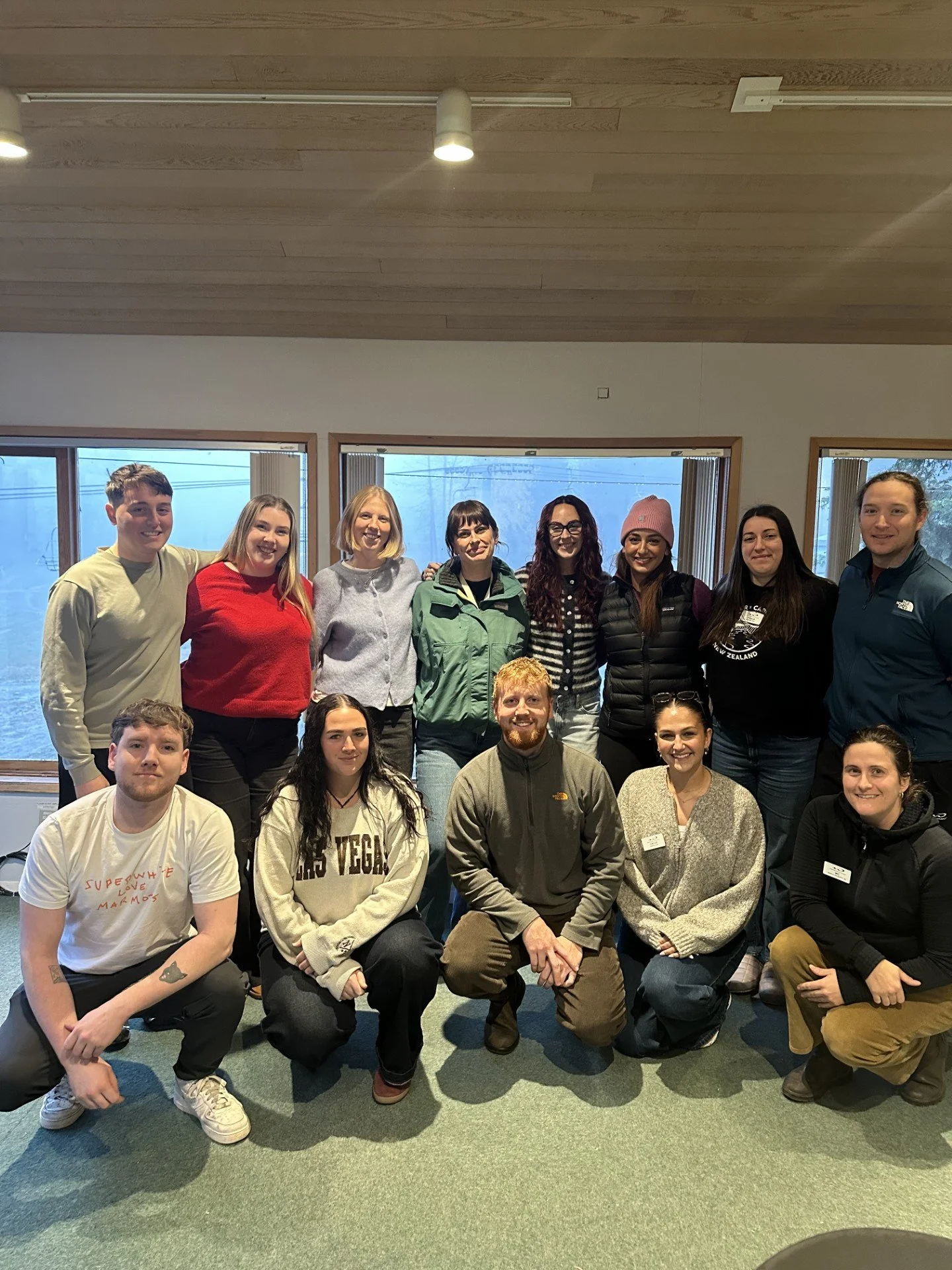
Meet the Scheduling Team
-

M-C Baron
Assistant Manager
-

Michael Loughlin
Sr. Scheduler - Privates
-

Laura Creighton
Sr. Scheduler - Groups
-

Paula Gombar
Lead - Privates
-

Lucy Turriff
Lead - Groups & Unicorn Program
-

Chloe Hunter
Privates
-

Amy Wilson
Privates
-

Dylan O'Hara
Privates
-

Amy Clark
Adults & Adaptive
-

Lovro Klecina
Adults, GAP & Training
-

Amber Payne
Schools & Specialty
-

Patrick Elliott
Schools & Season Long Programs
-

Roman Caulfield
Kids
-

Anna Tsimogiannis
Kids
-

Cassie Taylor
Kids